Arrival
 Circle
On this page
- What is a classroom visual schedule?
- Class schedule vs individual schedule
- Object, photo, picture or written: choosing the format
- Mini-schedules and first-then boards
- How to teach a student to use a visual schedule
- Transitions and changes to the day
- How to measure independent schedule use
- Using the same schedule at home and in class
What is a classroom visual schedule?
A classroom visual schedule is a sequence of objects, photos, pictures or words that shows the activities of the school day in order. Students check it at each transition to see what comes next, so the schedule carries the information instead of an adult repeating it.
Spoken directions are gone the moment they are said. A schedule stays put: a student can look at it as often as they need to, and an aide can point at it instead of talking.
Visual supports, including schedules, are listed as an evidence-based practice for autistic children and youth in the NCAEP review (Steinbrenner and colleagues, 2020), and a review of visual activity schedule studies by Knight, Sartini and Spriggs (2015) found enough well-designed studies to call them an evidence-based practice, mostly for staying on task and on schedule. That evidence is about the practice, used and taught well; a schedule taped to the wall and never taught is just decoration.
Class schedule vs individual schedule
The class schedule is one large display for the whole group, usually at the front of the room. An individual schedule belongs to one student, sits where that student transitions from, and is in the format that student reads. Many autistic students need both.
The class schedule gives everyone the shape of the day. It rarely makes a student independent, because it is far away, shared and shows everything at once. The individual schedule is where the teaching happens: the student takes the next card, goes to the matching place and puts the card in an “all done” pocket when the activity ends.


Class schedule and individual schedule compared
Who it is for
- Class schedule
- The whole group
- Individual schedule
- One student
Where it hangs
- Class schedule
- Front of the room, at adult eye level
- Individual schedule
- A schedule station, desk or binder the student can reach
Format
- Class schedule
- Pictures with words, one for the group
- Individual schedule
- Objects, photos, pictures or words, chosen for the student
How much it shows
- Class schedule
- The whole day
- Individual schedule
- The whole day, half a day, or one activity at a time
What the student does
- Class schedule
- Looks while the adult explains
- Individual schedule
- Checks it at every transition and marks activities as done
Main job
- Class schedule
- Shared overview and predictability
- Individual schedule
- Independent transitions
| Class schedule | Individual schedule | |
|---|---|---|
| Who it is for | The whole group | One student |
| Where it hangs | Front of the room, at adult eye level | A schedule station, desk or binder the student can reach |
| Format | Pictures with words, one for the group | Objects, photos, pictures or words, chosen for the student |
| How much it shows | The whole day | The whole day, half a day, or one activity at a time |
| What the student does | Looks while the adult explains | Checks it at every transition and marks activities as done |
| Main job | Shared overview and predictability | Independent transitions |
Object, photo, picture or written: choosing the format
Choose the format the student already understands: objects for students who do not yet match pictures to things, photos for students who match photos, picture symbols for students who recognize line drawings, and written words for students who read. Length follows the same rule: start short.
A quick check: put two objects on the table, show a photo of one and see whether the student picks the matching object. Repeat with a picture symbol. If photos work and symbols do not, start with photos. A matching task like this is a skill in its own right; if it is not there yet, our matching activities for autism are a good place to build it.
- Object schedule
- A real object stands for each activity: a spoon for snack, a ball for gym. The student carries it to the place and drops it in a basket there. Best for students at an early developmental level or with low vision.
- Photo schedule
- Photos of the real places and materials in your school: the snack table, the gym door, the reading corner. Take them at the student’s eye level, without people in them.
- Picture schedule
- Picture symbols with a printed word under each one. Most classroom schedules end up here.
- Written schedule
- A checklist in words for students who read. Students cross off or tick each item, and later write their own list from the class schedule.

Mini-schedules and first-then boards
A mini-schedule breaks one activity into its own short sequence, such as the steps of arrival or of a writing task. A first-then board shows only two things, the current task and what comes after it, and is often the first schedule a student learns.
If a student cannot yet manage a full-day strip, start with a first-then board: first table work, then the swing. When the student moves from first to then without help, add a third card. For routines with several steps inside one activity, like arrival (bag on hook, coat away, folder in tray, sit on the carpet), use a mini-schedule at the place where the routine happens. That is a small task analysis shown as pictures.
How to teach a student to use a visual schedule
Give one short cue such as “check schedule”, then guide the student to the schedule, the next card and the matching place with prompts from behind and no extra talking. Fade those prompts step by step until the cue alone, and later the end of the activity, sends the student to the schedule.
McClannahan and Krantz, whose book is the classic guide to activity schedules, recommend prompting from behind the student and keeping verbal prompts out of it, because spoken prompts are the hardest to fade. The aim is that the schedule, not the adult, tells the student what to do.
- 1Pick one cue and one placeUse the same words every time (“check schedule”) and keep the schedule in the same spot.
- 2Prompt from behind, silentlyStand behind the student and guide them to the schedule, to the top card and to the matching place. Do not repeat the cue or explain.
- 3Match the card at the destinationThe student puts the card in a pocket or onto a matching card at the activity. This confirms they arrived at the right place.
- 4Mark the activity as doneAt the end, the student moves the card to an “all done” pocket or turns it over. This is the step that makes the next check meaningful.
- 5Fade your helpMove from guiding the hand, to a light touch on the shoulder, to standing nearby, to standing back. Fade one level when the student succeeds on most transitions for a few days.
- 6Fade the cueOnce the student goes with the cue alone, say it later and quieter, then stop saying it and let the timer or the end of an activity be the signal.
Transitions and changes to the day
Show changes on the schedule before they happen. Swap the cancelled activity for a “change” or “surprise” card, show the student the swap, and keep the rest of the day in place. Practise changes on calm days too.
Teach the change card on purpose: once or twice a week, replace a low-stakes activity with a preferred one and use the card. The student learns that the card means something different is coming, and that it can be good.
For the moment of transition itself, a visual timer and a warning (“two more minutes, then check schedule”) help many students. If a student struggles to stop a preferred activity, a short transition social story read at a calm time explains what happens and why.
 Change
 Music
How to measure independent schedule use
Score every transition as independent or with the level of prompt the student needed, then calculate the percentage of transitions done independently each day. A rising percentage tells you to fade; a flat one tells you which transition to look at.
Use the same prompt codes you use for other skills (I, G, V, PP, FP), one row per transition. Ten transitions with seven scored I is 70 percent. Graph one data point per day. When the line stalls, look at the rows: if the same transition is prompted every day, the problem is usually that transition (a noisy hallway, a non-preferred activity) and not the schedule.
Many IEPs include a goal for independent schedule use. A measurable version reads: given an individual picture schedule and the cue “check schedule”, the student will transition to the next activity independently on 8 of 10 transitions across 3 consecutive school days. Our IEP goals guide has more examples.
Using the same schedule at home and in class
Use the same pictures, words and order of steps at school and at home where you can. A student who learns one schedule system can use it in a new room, with a new adult and later with new activities, which is the real test of independence.
Share the picture set with families, and ask the speech therapist and the behavior analyst to use the same cards.
- Send home a short morning or bedtime strip in the same picture style. The visual schedule printables have both.
- Let a second adult run the schedule each week so the student does not learn that only one person means “check schedule”.
- For independent work periods, task boxes give the student a clear start and finish that fits the schedule.
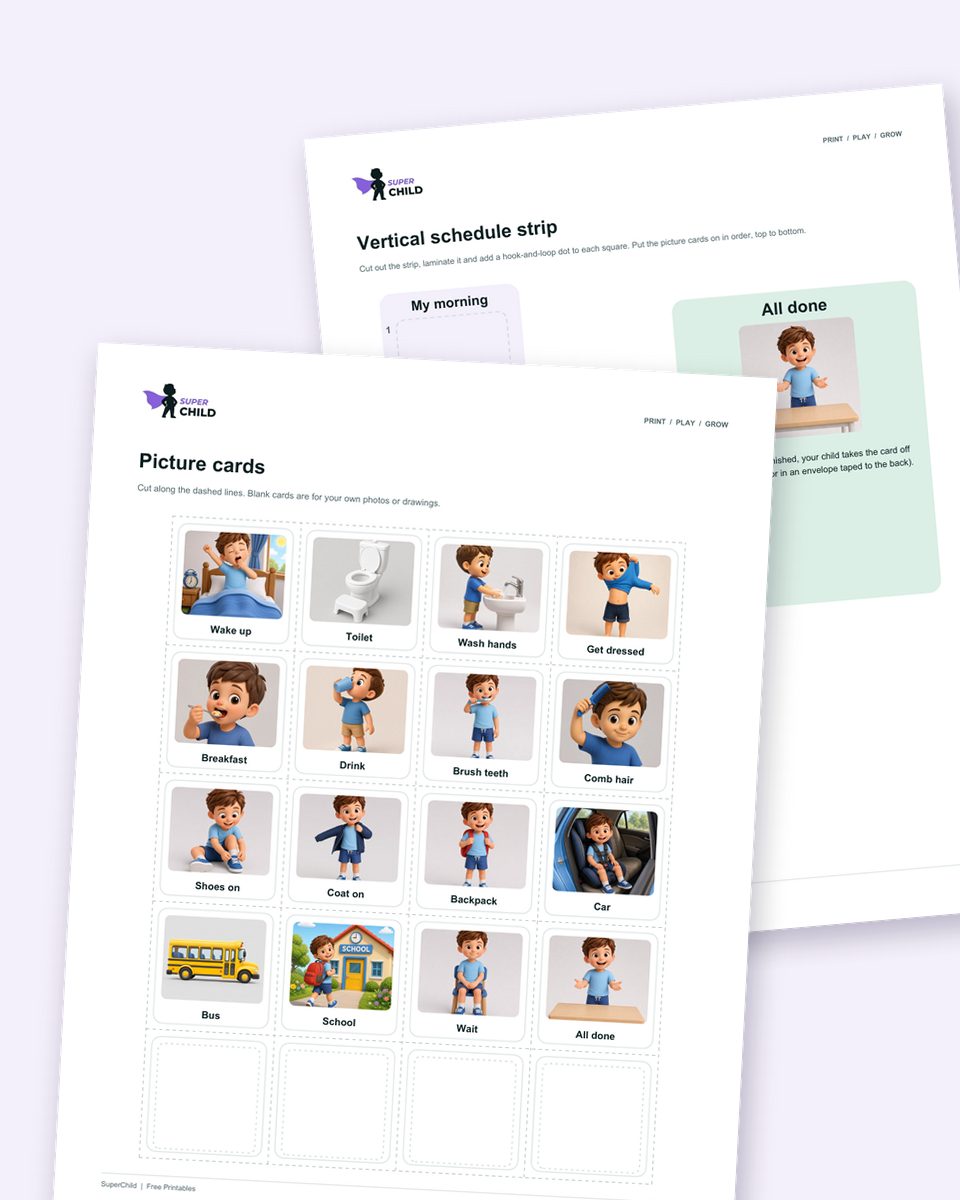
Free download1 PDF · 25 pages
Get the free visual schedule printable
Morning and bedtime routines plus picture cards for the whole day, with strips, a parent guide and a log.
Sources
- Steinbrenner et al.: Evidence-Based Practices for Children, Youth, and Young Adults with Autism (NCAEP, FPG Child Development Institute, 2020)
- Knight, Sartini & Spriggs: Evaluating visual activity schedules as evidence-based practice for individuals with autism spectrum disorders (Journal of Autism and Developmental Disorders, 2015)
- Banda, Grimmett & Hart: Activity schedules: helping students with autism spectrum disorders in general education classrooms manage transition issues (Teaching Exceptional Children, 2009)
- McClannahan & Krantz: Activity Schedules for Children with Autism, 2nd edition (Woodbine House, 2010)
- AFIRM: Visual Supports module (UNC Frank Porter Graham)
Cite this page
Citation (APA style)
SuperChild. (2026). Visual schedules in the classroom: setting them up and teaching autistic students to use them. Retrieved from https://superchild.ai/blog/visual-schedule-classroom
Link for your website
<a href="https://superchild.ai/blog/visual-schedule-classroom">Visual schedules in the classroom: setting them up and teaching autistic students to use them</a> (SuperChild)