
How to make a first-then board
To make a first-then board, pick a picture for the task your child does first and a picture for what comes right after, choose the layout and print the PDF. Change the headings to "now" and "next" if that is what your child hears at school. Prefer a ready-made board? Get the free first-then board printable.
- Pick the “first” picture: a short task your child can finish today, such as shoes on, one puzzle or wash hands. Use your own photo if your child knows it better.
- Pick the “then” picture: something your child wants right now, such as the playground, bubbles or a favorite toy.
- Keep the headings as First and Then, or type Now and Next, or any words your child already hears.
- Choose side by side for a table or clipboard, or one above the other for a door or wall, and pick US Letter or A4.
- Turn on the page of cut-out cards, then download the PDF or PNG, print and laminate it, and add Velcro so you can swap the cards.
- Show the board, touch each picture and say "First shoes, then playground." Give the "then" as soon as the first task is done.
What is a first-then board?
A first-then board is a two-picture visual support: the left side shows a task the child does first, the right side shows what comes straight after, usually something the child wants. "First shoes, then playground." A first-then board is the smallest visual schedule there is, and often the first visual support that clicks for a young autistic child.
It helps because it makes the end of the hard part visible. Your child does not have to hold your words in mind or trust that the fun part will come: it is right there in the picture.
How do you use a first-then board?
Use a first-then board by showing it before the task, touching each picture and saying only the key words: "First shoes, then playground." Keep the first task short enough to finish today, and give the "then" the moment it is done. Keeping that promise every time is what makes the board work.
- Make the "first" task short and doable today: put on shoes, sit at the table for one puzzle, wash hands.
- Make the "then" something your child wants right now, not something they wanted yesterday.
- Show the board, touch each picture and say just the words: "First shoes, then playground."
- As soon as the first task is done, point to "then" and give it straight away.
- If your child refuses, wait, show the board again and repeat the same words once. If your child is upset, pause and make the first task easier. Avoid adding new promises or bigger rewards on the spot.
- Once first-then is easy, add a third picture and you have a visual schedule. The visual schedule maker takes it from there.
- When your child can wait for a reward across several tasks, move on to the token board maker.
First-then board or now and next board?
A now and next board is the same support as a first-then board with different headings. "Now and next" is the usual wording in UK schools and nurseries, "first and then" in the US. Use the words your child already hears at school or in therapy, because consistent words matter more than which words.
The side-by-side layout fits a table or a clipboard. The top-to-bottom layout suits a door or a wall, and reads like the start of a schedule.
For children who are starting to request with pictures, the same cards can go in a PECS-style picture exchange book, so the reward on the "then" side is also something your child can ask for.
Drinks, meals, the toilet, comfort and a break are never something your child has to earn. If your child is upset or in pain, stop and help first, then make the task smaller.
Free download3 PDFs
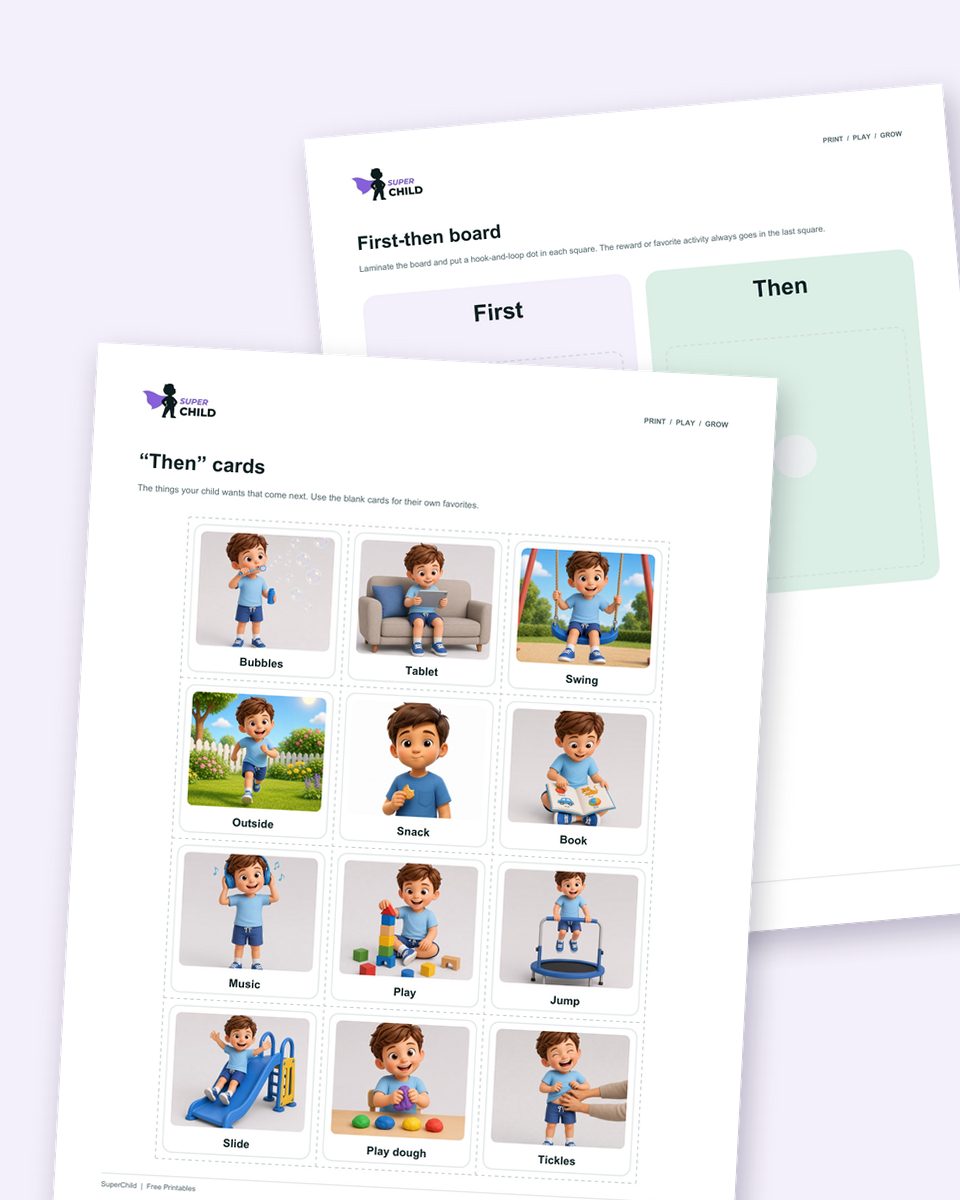
Get the free first-then board pack
A first-then board with picture cards, token boards and whole-day schedule cards, ready to print.
Cite this page
Citation (APA style)
SuperChild. (2026). Free first-then board maker (and now and next board). Retrieved from https://superchild.ai/free-tools/first-then-board-maker
Link for your website
<a href="https://superchild.ai/free-tools/first-then-board-maker">Free first-then board maker (and now and next board)</a> (SuperChild)